
.png)



In the world of Salesforce development, DML (Data Manipulation Language) is the engine that drives your data. Every time you insert, update, delete, or merge a record, you are performing DML.
But here is the catch: Salesforce runs in a multitenant environment. Resources are shared, and if your code is "greedy" or unsafe, the platform will stop you in your tracks with the dreaded System.LimitException.
This guide makes DML checks easy. We will move beyond basic syntax and look at the architectural safeguards every senior developer uses to write bulletproof code.
A futuristic, isometric illustration of Salesforce data blocks being organized and shielded, representing secure DML operations.

1. The Golden Rule: Bulkification First
Before you check for nulls or security, you must check your context. The most common DML error isn't a syntax error, it's a Governor Limit violation.
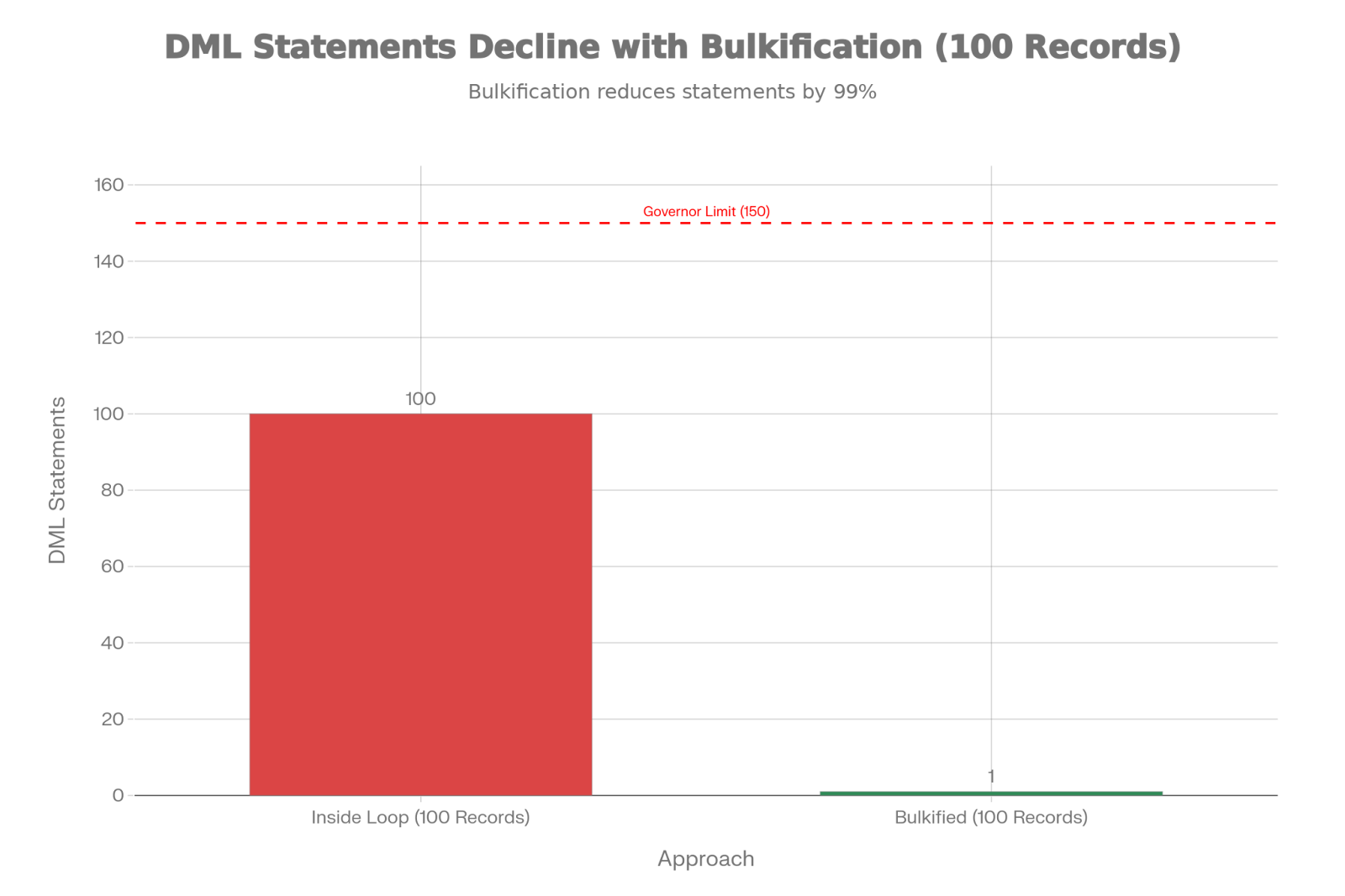
The Limit: You are allowed 150 DML statements per transaction.
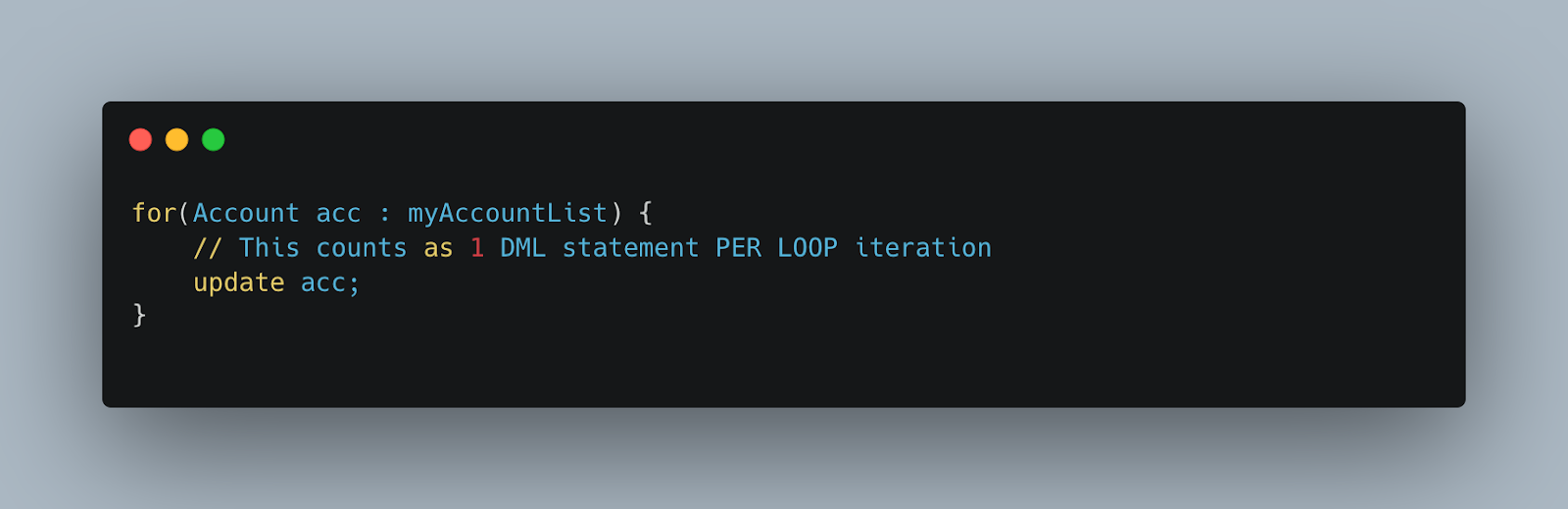
If you put a DML statement inside a for loop, you will hit this limit after the 151st record. This is why Bulkification is the #1 DML check.
Visual Evidence: The Cost of Loops
The chart below illustrates the massive difference in resource consumption when processing just 100 records.
Bad Practice :
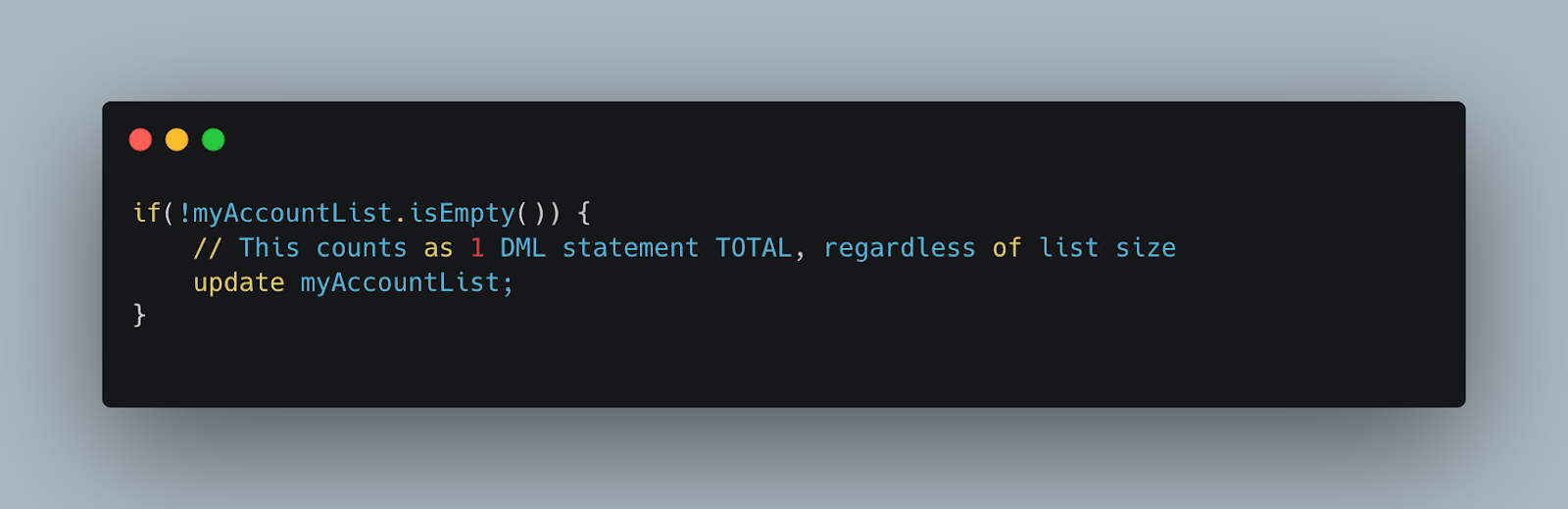
Best Practice :
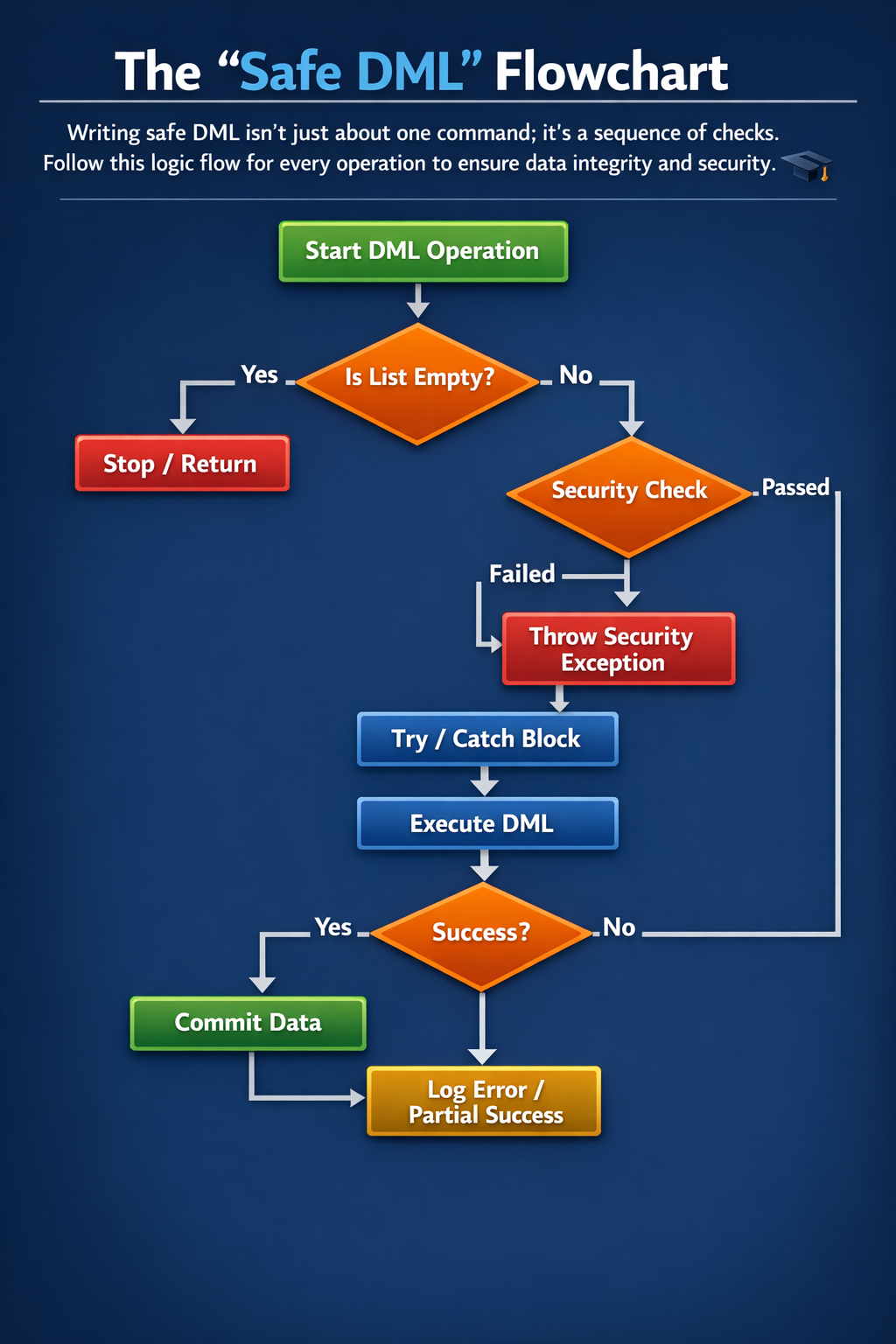
2. The "Safe DML" Flowchart
Writing safe DML isn't just about one command; it's a sequence of checks. Follow this logic flow for every operation to ensure data integrity and security.
3. Standard DML vs. Database Methods
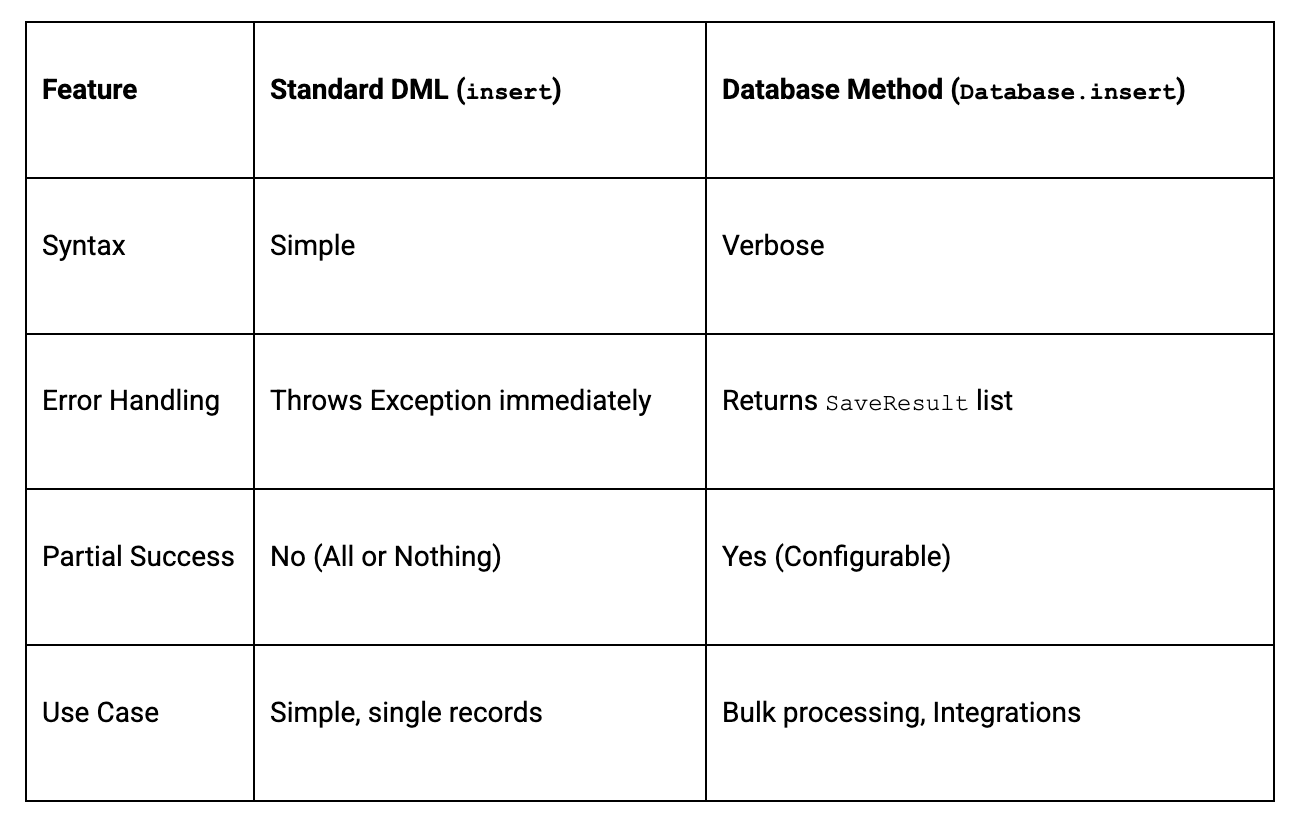
Many developers default to the standard insert keyword, but the Database class methods offer a crucial feature: Partial Success.
- Standard (insert list): If one record fails (e.g., a validation rule error), ALL records fail. The entire transaction rolls back.
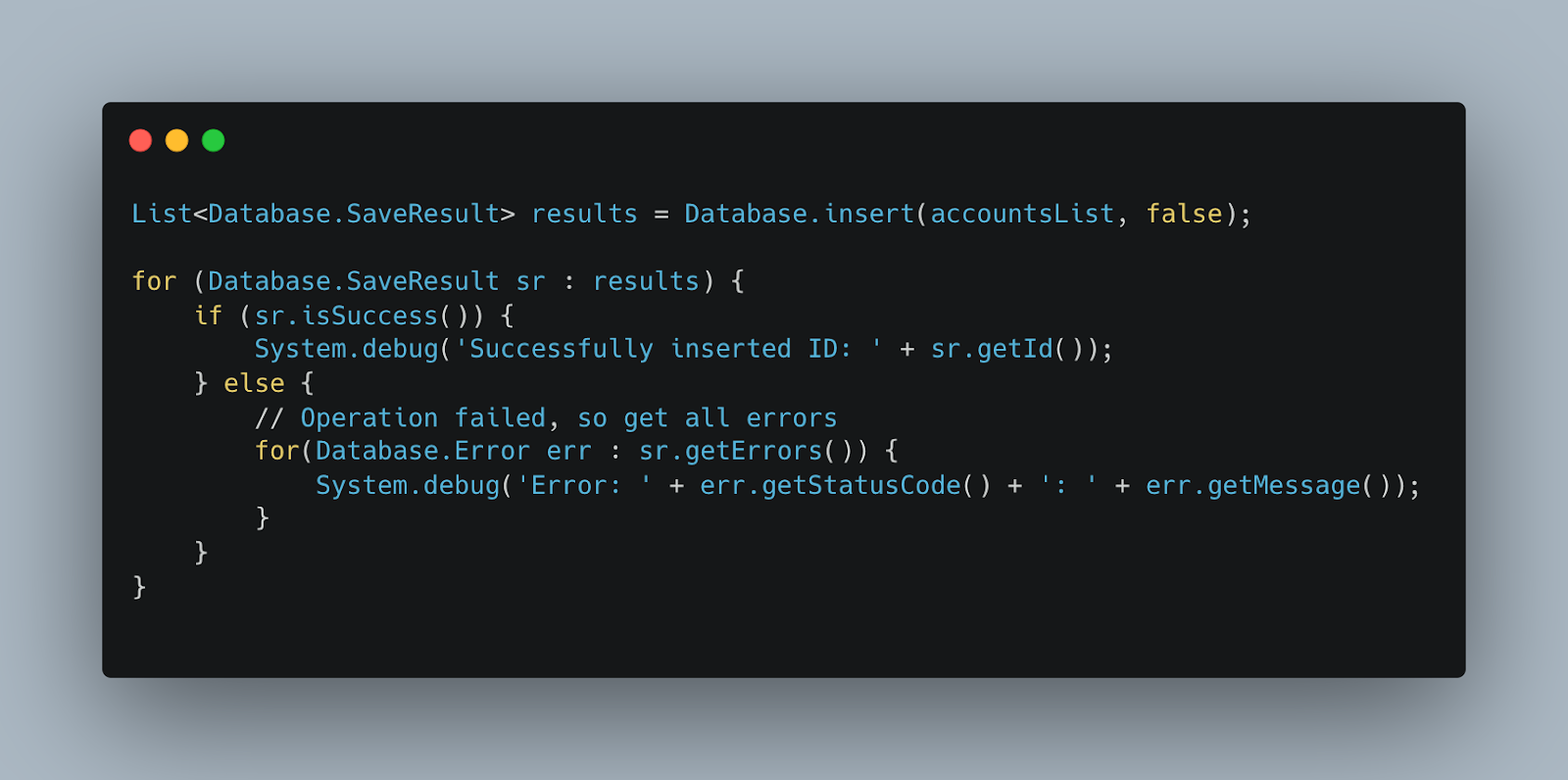
- Database Method (Database.insert(list, false)): The false parameter allows successful records to be saved while failing records return an error. This is essential for integrations and bulk data loads.
Code Snippet: Using Database Methods
4. Security Checks: The Modern Way
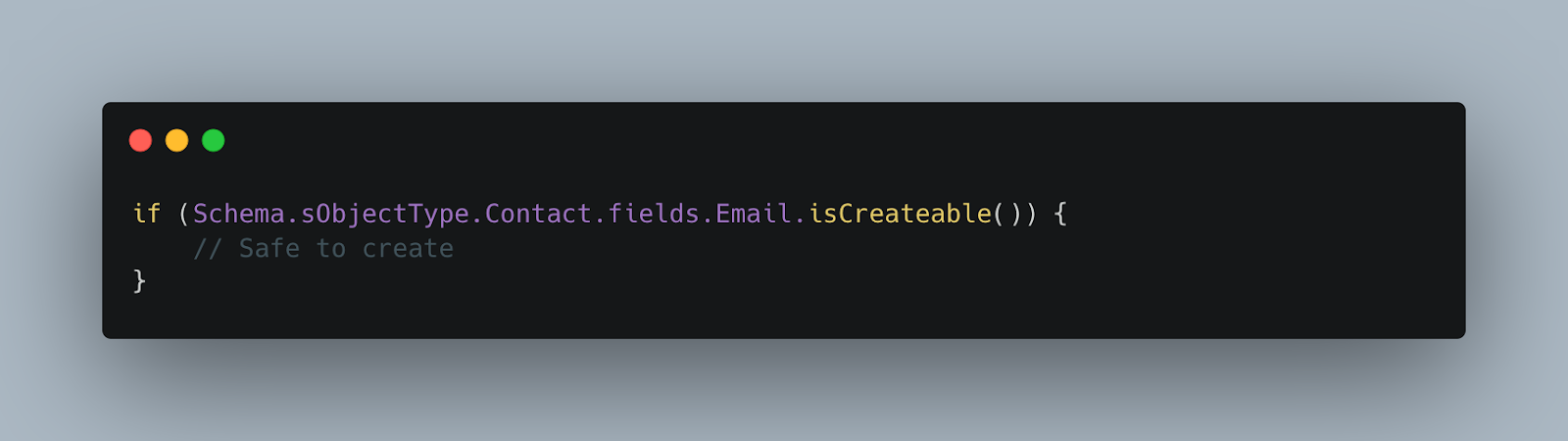
In 2025, checking if a user can update a field is mandatory. If you skip this, your app might fail Salesforce Security Review.
The Old Way (isCreateable):
You had to write verbose if statements for every object and field.
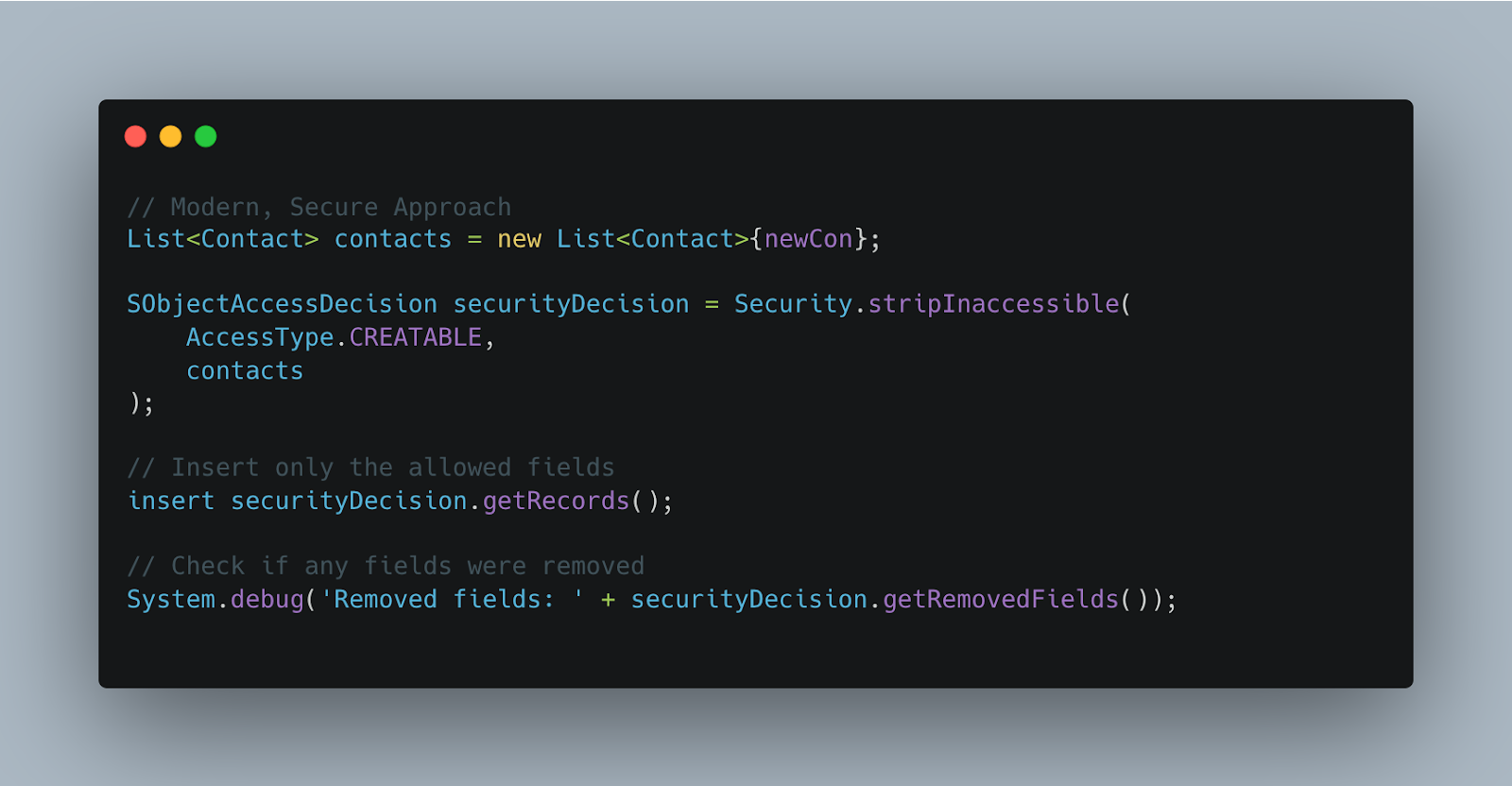
The New Way (Security.stripInaccessible):
Use the Security.stripInaccessible method. It automatically strips out fields the user doesn't have permission to touch, allowing the DML to proceed safely with the remaining "clean" data.
Conclusion
Mastering DML checks distinguishes a junior developer from an architect. By ensuring your code is bulkified, secure, and fault-tolerant, you build a Salesforce org that is scalable and robust.





.png)
